
Live Data
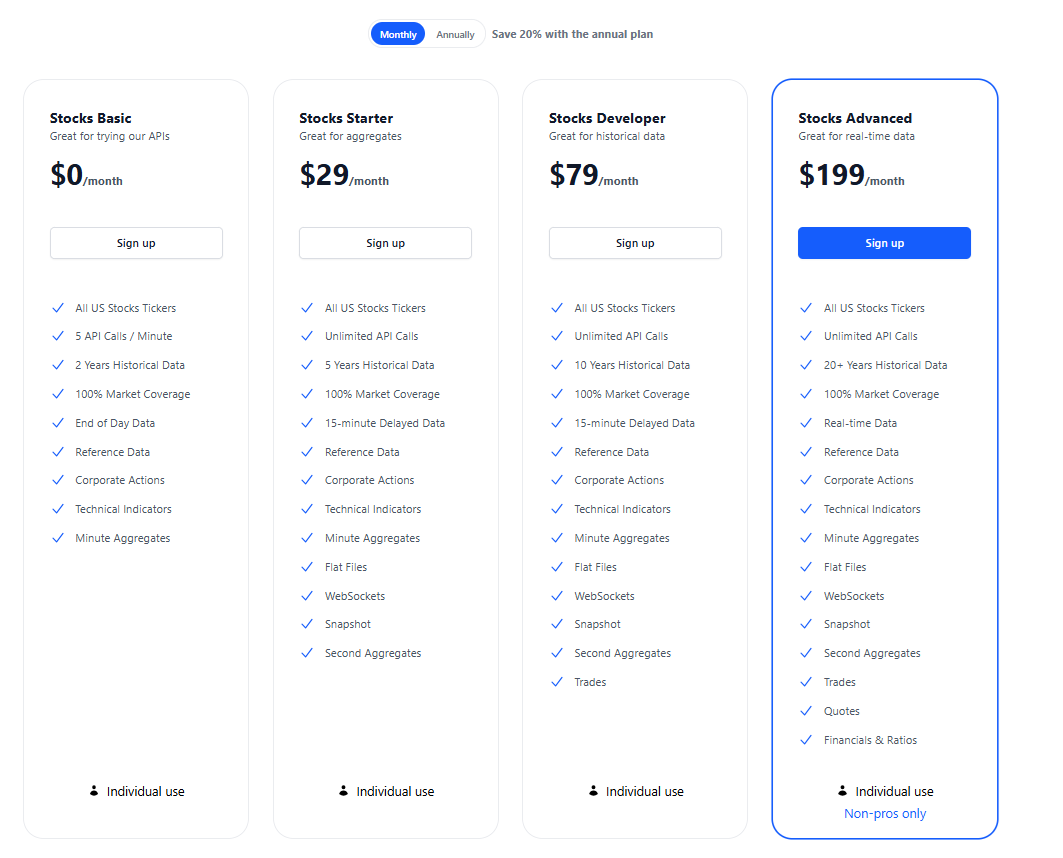
By default, all data on VolumeLeaders.com is delayed by 15 minutes. Real-time data is available on a per-user basis for members with their own STOCKS ADVANCED subscription from Massive.com (formerly Polygon.io).
If You Already Have Massive.com
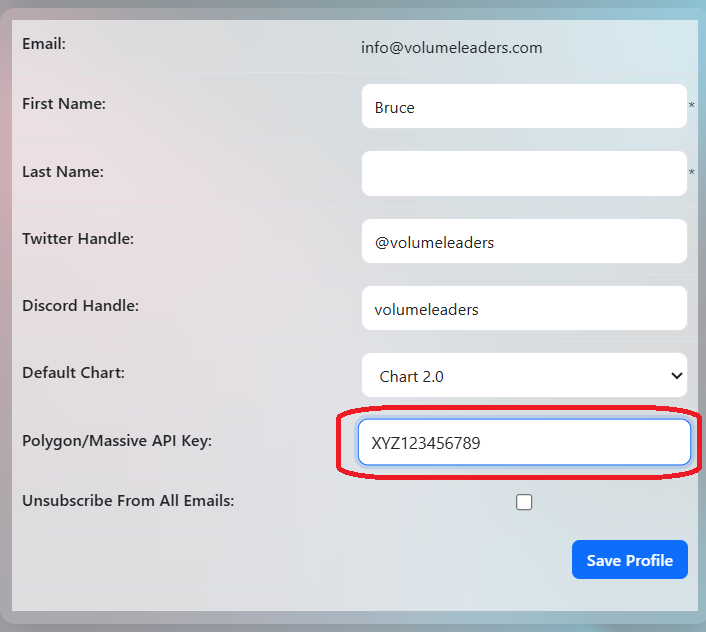
Copy your personal API Key from Massive.com and paste it into the Massive / Polygon API Key box in your VL Profile, then save. See Where to Enter Your Key below.
Only STOCKS ADVANCED enables real-time data on VolumeLeaders.com. Other Massive.com plans will not.
Getting a Massive.com Subscription
- Make sure you have an active, paid subscription to VolumeLeaders.com.
- Email info@volumeleaders.com and ask for the discount code for VolumeLeaders.com subscribers.
- On the Massive.com pricing page, choose STOCKS ADVANCED.
- Enter your Massive.com API Key in your VL Profile. This turns on real-time data.
Where to Enter Your Key
What Changes With Live Data
Once your key is saved, the "Data Feed: 15 Min. Delay" note at the top of pages like Trades and Daily Highlights goes away, and new data shows as it arrives instead of 15 minutes later.